![Logo (blanc)-1.png]](https://help.bowo.fr/hs-fs/hubfs/Logo%20(blanc)-1.png?height=42&name=Logo%20(blanc)-1.png)
To edit the title, visual, and gradients of the home screen of your booking page, log in to the Bowo back office and follow these steps:
-
Go to the "Web App" tab, then click on "Editable pages".
-
Select the booking page you want to modify.
-
Click "Edit".

You can now:
-
Edit the title, subtitle, description, and text color of the booking page home screen.
- Update the home screen image, modify the gradients, and add an icon. The icon will appear above the title.
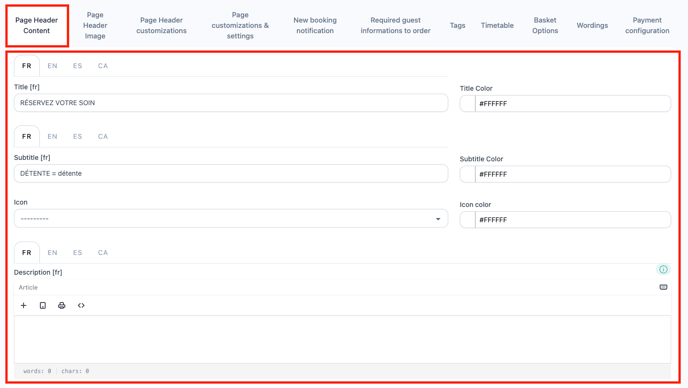
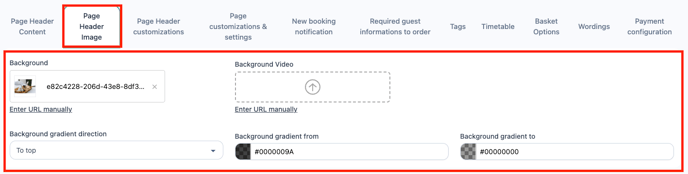
These changes will appear on the home screen of the booking page.
Reminder: the English translation is automatic. Delete the English text after each update to ensure the translation works correctly.
⚠️ Don’t forget to save your changes at the top of the page.