![Logo (blanc)-1.png]](https://help.bowo.fr/hs-fs/hubfs/Logo%20(blanc)-1.png?height=42&name=Logo%20(blanc)-1.png)
If you want to display bookings in a calendar view, log in to the Bowo back office and follow these steps:
-
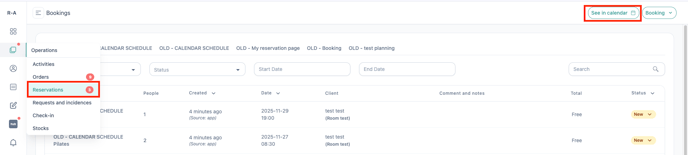
Go to the "Operations" tab, then click on "Reservations."
-
Click the "See in Calendar" button.
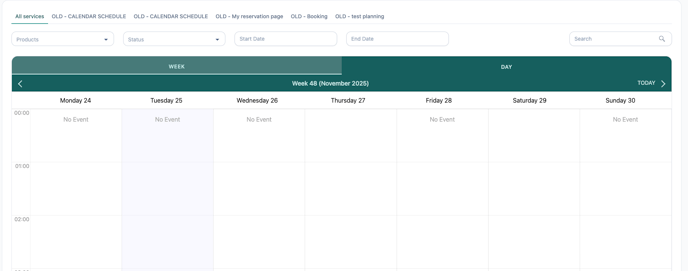
You can now see your bookings displayed in a calendar format.