![Logo (blanc)-1.png]](https://help.bowo.fr/hs-fs/hubfs/Logo%20(blanc)-1.png?height=42&name=Logo%20(blanc)-1.png)
To replace an existing PDF (update)
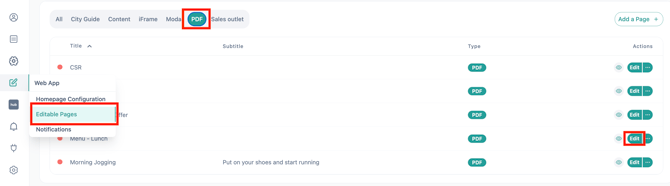
- In "Editable pages", filter by PDF.
- Open the relevant page → Edit
-
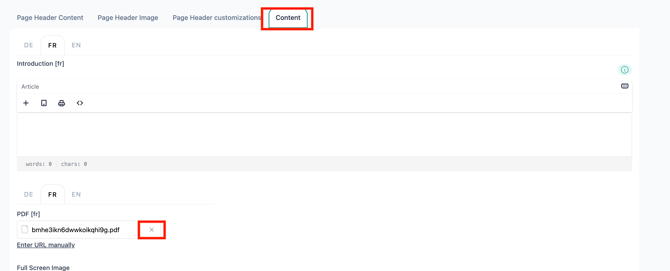
Remove the existing file from the Content tab using the × icon.
-
Upload the new PDF.
-
Save your changes.
⚠️ If the French and English PDF files are different, click the "Do not translate" button when saving.